
Why BIM is often not used on construction sites
BIM has long been presented as the future of the construction industry.
And the potential is huge.
3D models make it easier to:
coordinate subjects
detect collisions
visualize the building
understand complex solutions
Yet many contractors experience that BIM loses value when the project moves from design to production.
Many projects have a BIM model.
But very few actually work directly in the model out on the construction site.
Why does it happen?
For an introduction to how BIM works in construction projects, read our article on what BIM is.
BIM is often used only for visualization
In many projects, the BIM model is mainly used by:
projecting
BIM coordinators
advisors
specialists
On the construction site, daily work still takes place in separate systems and work surfaces.
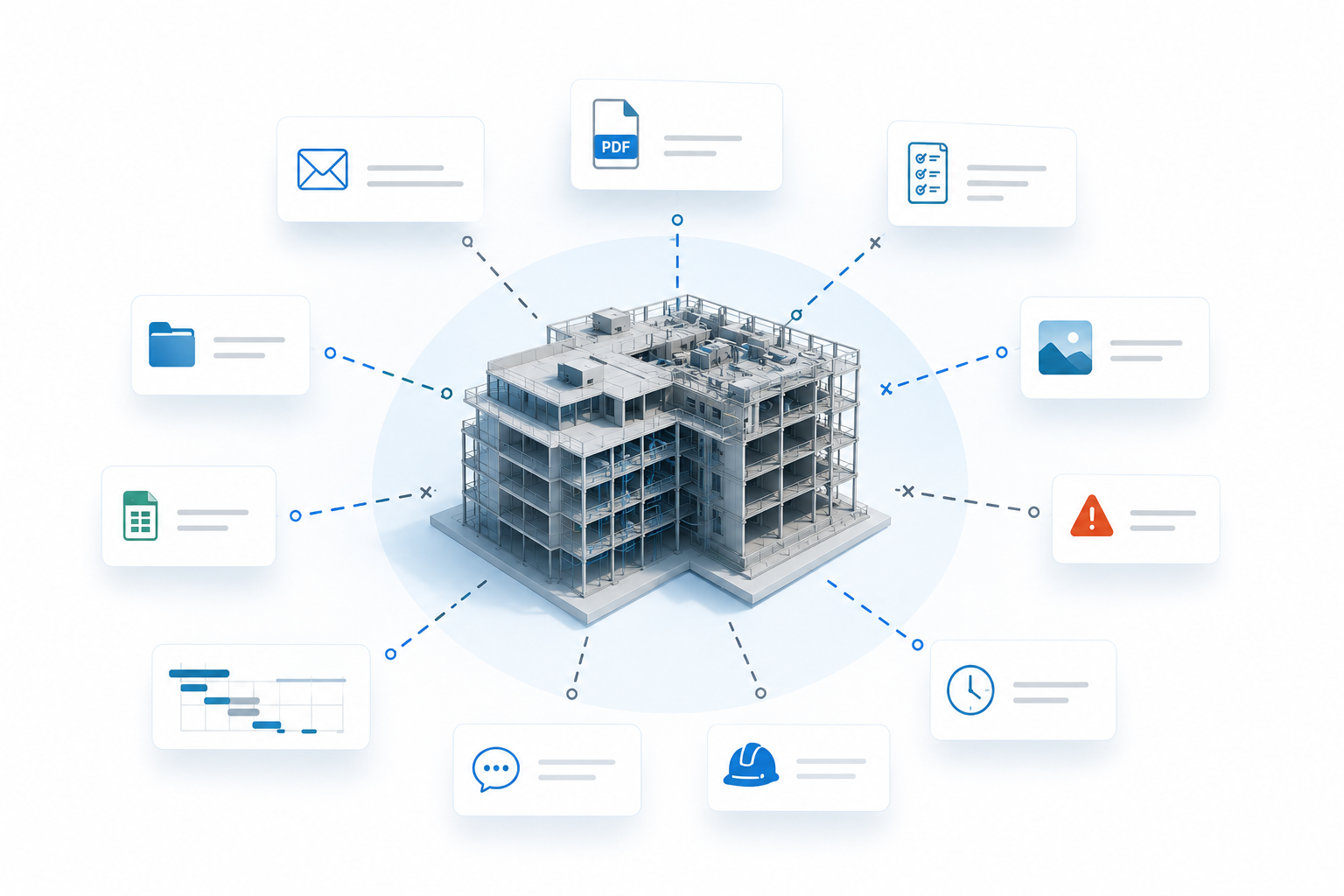
Tasks, deviations, images, documentation, hours and progress are often handled outside the model.
The result is that the BIM model becomes something you look at — not something you actually work in.
The information loses context
When project information is not connected to the building parts in the model, the team loses important coherence.
A deviation may lie in:
a PDF
an email
a form
a checklist
a separate system
But where in the building does it actually apply?
The same applies to:
documentation
photos
progress
costs
hours
communication
When the information is not linked to the objects in the model, the project becomes more difficult to understand and follow up.
A lot of time is spent looking for information instead of solving the tasks.
Many BIM tools are designed for specialists
Another challenge is about user experience and workflow.
Many traditional BIM tools have been developed for:
modeling
coordination
technical engineering
They are not necessarily designed for:
project management
production
performing profession
daily monitoring at the construction site
For many contractors, BIM is therefore perceived as advanced, technical, and not very operational in everyday life.
The problem is often not the model
In many projects, the problem is not the BIM model itself.
The problem is that the project work takes place outside the model.
When users need to jump between:
task system
document system
email
progress schedule
calculation
model viewer
...the model becomes just another place to look for information.
Then much of the value BIM was actually supposed to create disappears.
Model-based project implementation
Use the BIM model as a work surface
See how build connects tasks, documentation, deviations, and progress directly to the building parts in the model.
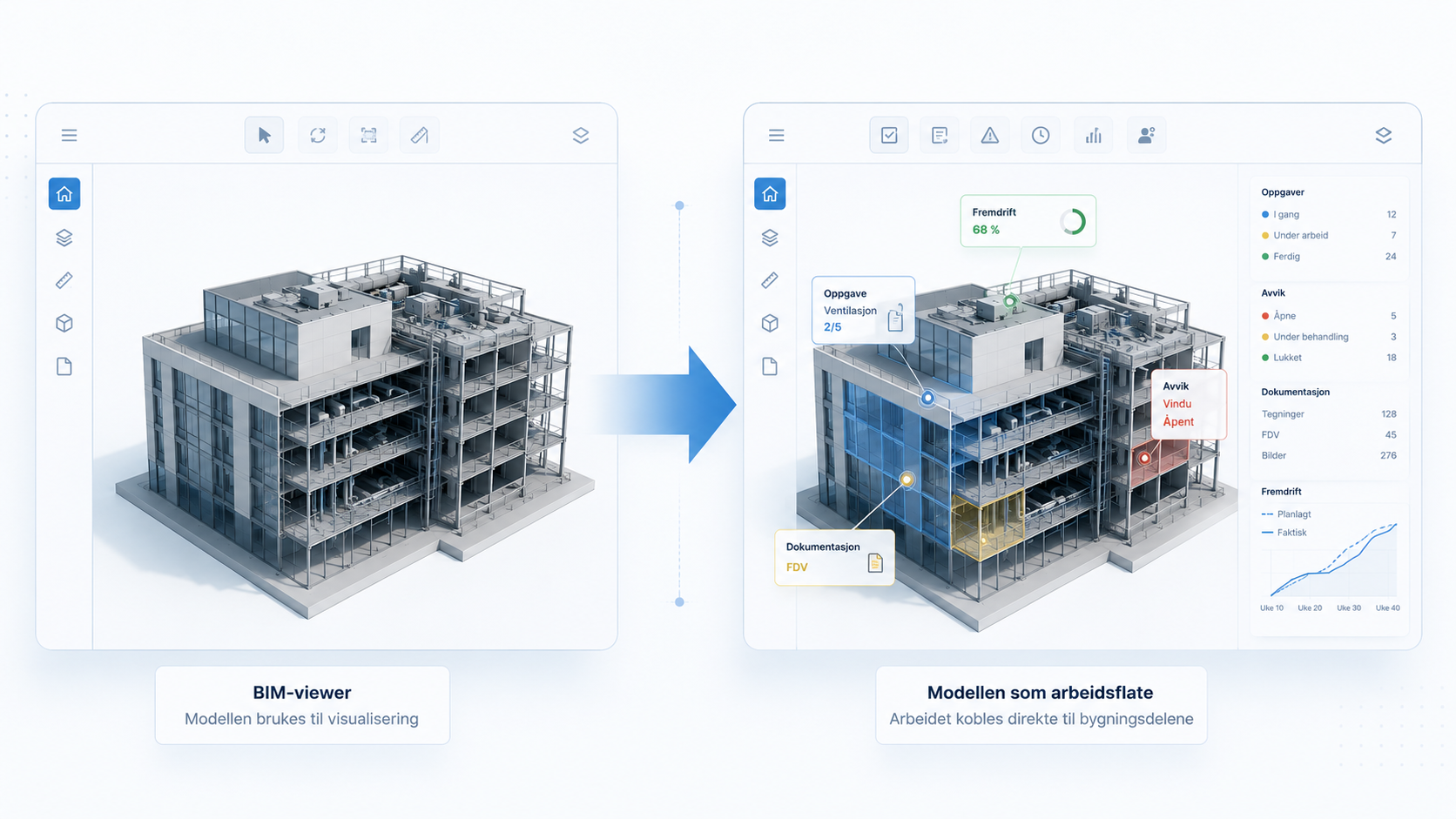
From BIM viewer to workspace
Several solutions are now attempting to make BIM more operational in project implementation.
Instead of the model being used only for visualization, the actual work of the project is connected directly to the building parts.
It makes it possible to:
associate tasks with objects
record deviations directly in the model
add documentation to building parts
follow progress visually in 3D
see status and risk in the model
link costs and hours to items
When work happens in the model, BIM becomes far more relevant to the construction site.
To understand how IFC is used to exchange model information between different systems, read our article about IFC in construction projects.
You can also read how IFC and BIM are used in model-based calculation .
How buildit uses BIM in project execution
In buildit, the BIM model is used as a work surface for daily project execution.
Instead of the model simply acting as a viewer, the project team can work directly on the building components with:
tasks
deviation
documentation
progress
hours
costs
communication
Modules such as myproject and myplanner make it possible to connect project work directly to the building's structure.
This provides a better overview, clearer context and less time spent searching for information.
Would you like to see how BIM can be used in practice?
Want to see how construction projects can work directly in the BIM model?
Book a demo and see how buildit connects project work directly to the building's structure.
Would you like to see BIM used in practice?
See how build can connect tasks, documentation, deviations, and progress directly to the building parts in the model.
From model to work platform
The BIM of the future is not just about visualizing the building.
It's about using the model as a work surface for the entire project.
When tasks, documentation, communication, and progress are linked to the building components, the model becomes far more useful in daily project implementation.
Then BIM goes from being a specialist tool to becoming a practical working tool for the entire project team.
