
What is model-based project management?
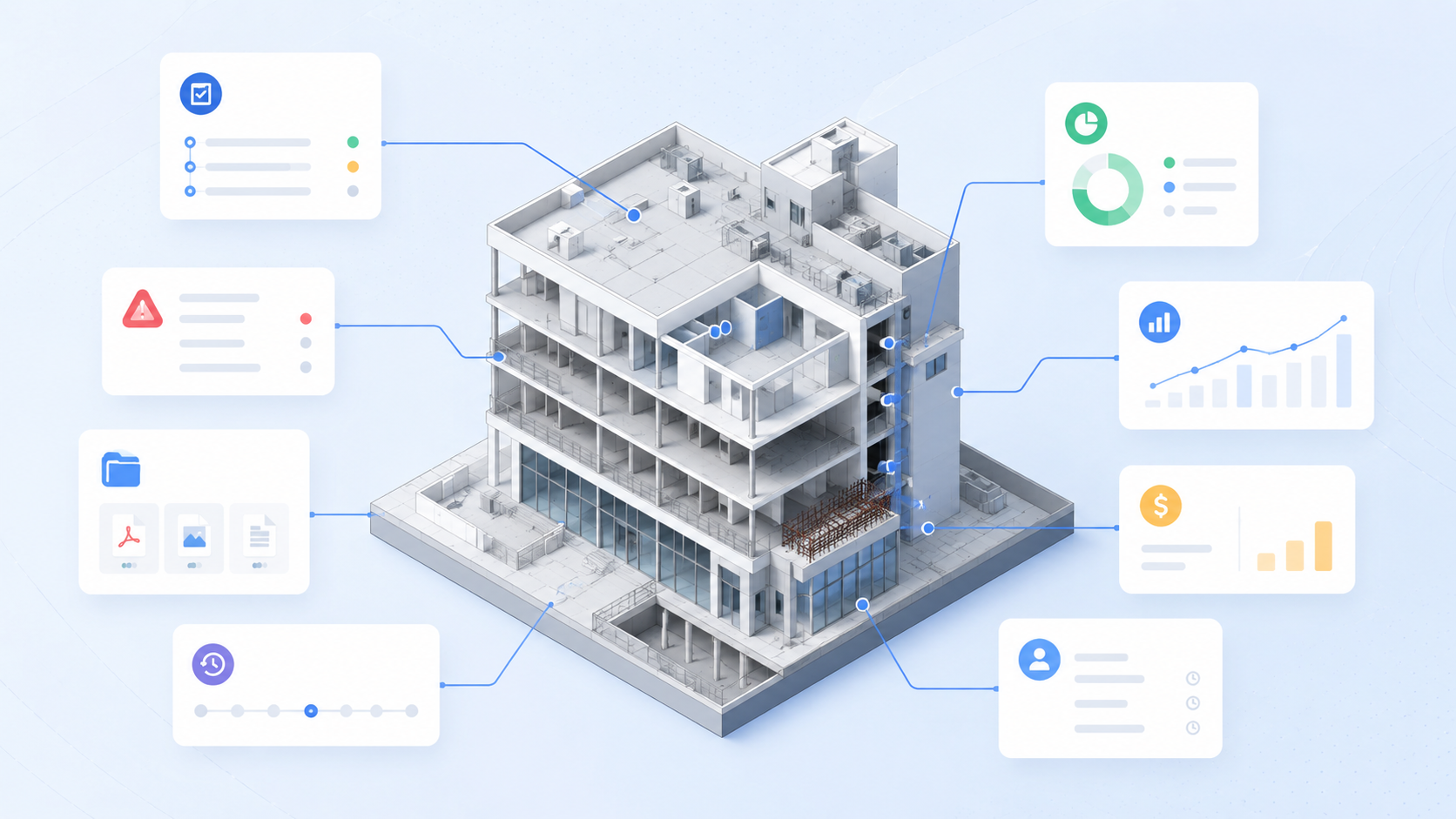
The construction industry has long digitized documents, drawings and project data.
Yet many project teams still find that information is hard to find, difficult to understand, and scattered across many systems.
Tasks are in one place.
Documentation is another.
Progress in a third system.
Costs and hours a fourth.
The problem is that project information is often organized around folders, files, and modules — not around the building itself.
Model-based project management attempts to solve this by connecting the project's work directly to the BIM model and the building's structure.
Instead of navigating between different systems, the team works directly on the building.
From folders to model
Traditional project management in the construction industry is often organized around:
folders
files
modules
lists
separate systems
The problem is that the building is not organized this way.
A building consists of:
room
walls
floors
technical systems
building parts
Yet the project team often has to search for information in many different systems, without a link to where in the building the information actually belongs.
For an introduction to how building models are used in construction projects, read our article on what BIM is.
What does model-based project management mean?
Model-based project management means that the project's work is connected directly to the building's digital model.
Instead of organizing information by folders and files, it is organized by the structure of the building.
It makes it possible to:
associate tasks with objects
link documentation to building parts
record progress directly on the model
visualize costs in 3D
see risk and deviation in context
collect history on specific parts of the building
The model is not just something to look at.
It will become the work surface for the project.
Information connected to the building
In a model-based workflow, the user can click directly on a building part and see relevant information gathered in one place.
For example:
tasks
documents
photos
progress
costs
hours
suppliers
history
Instead of searching in different systems, the user finds the information directly where the work actually happens.
Click on the wall.
See everything related to it.
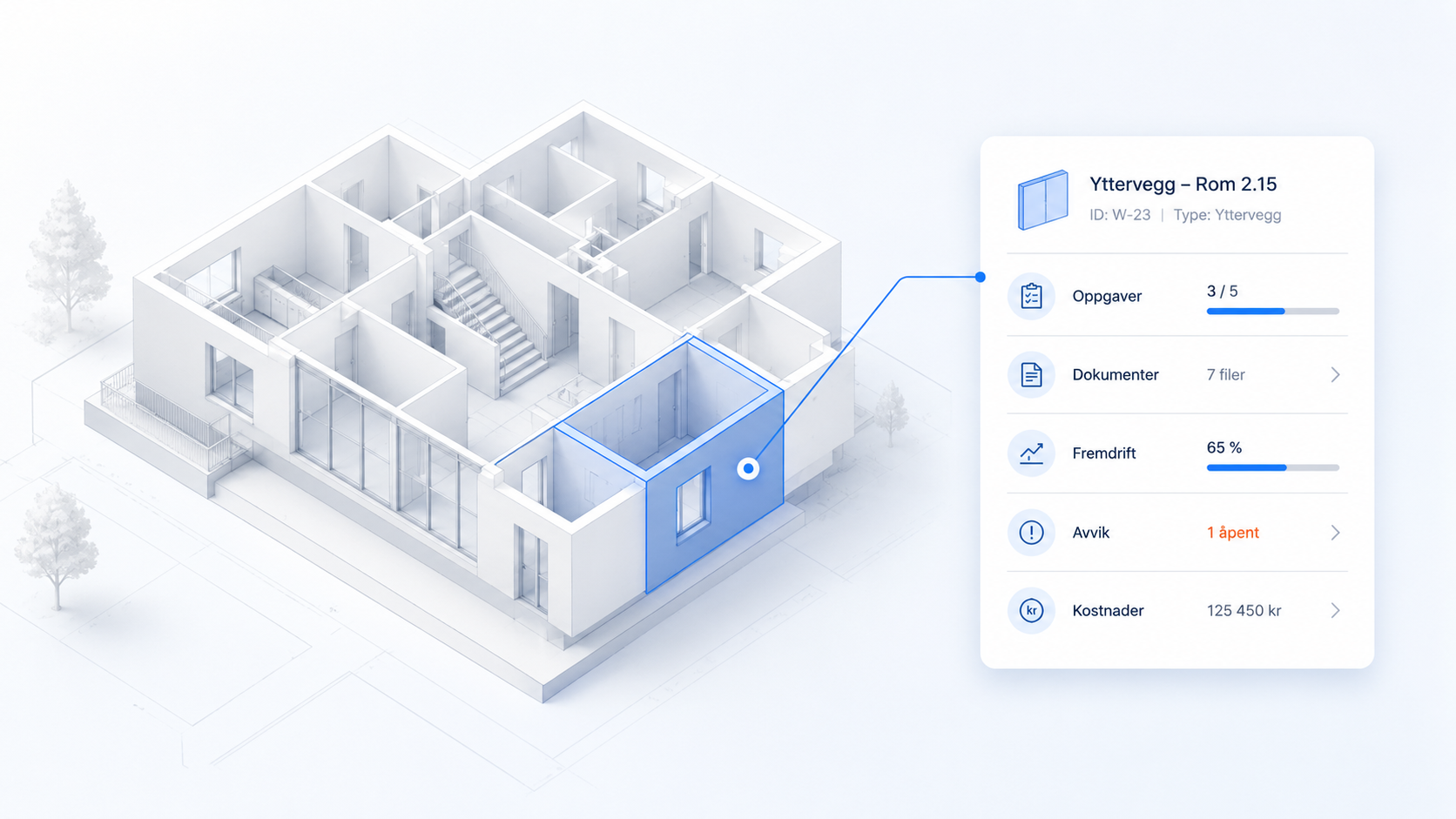
Project data gets physical context
When project information is connected to the model, the data is given a physical location in the building.
This makes the project easier to understand and follow up.
A deviation is not just an issue in a system.
There is a problem related to:
a concrete wall
a specific room
a specific floor
a technical system
This context makes communication and follow-up much easier.
It becomes clearer what the case concerns, where the problem is, who is involved and what needs to be followed up further.
You can also read why BIM is often not used directly on the construction site — and how model-based workspaces attempt to solve this.
Visualization directly in the model
Model-based project management makes it possible to visualize project status directly in 3D.
For example:
green = done
yellow = in progress
red = delayed
grey = not started
Users can see:
progress
risk
documentation coverage
costs
hours
...directly on the building.
It provides a far more intuitive understanding than traditional reports, spreadsheets and lists.
Instead of reading through project status, the team can see the status visually in the model.
When the model becomes data-driven
When project data is continuously connected to the model, the building model becomes more than a visualization.
It becomes data-driven.
All activities and history can be traced back to specific objects in the model.
It gives better:
overview
traceability
cooperation
documentation
handover
operation
This is also an important part of the development towards digital twins in the construction industry.
The building doesn't just get a digital model.
It gets a digital history.
To understand how IFC is used to exchange model information between different systems, read our article about IFC in construction projects.
You can also read how IFC and BIM are used in model-based calculation and quantity take-off.
Would you like to see model-based project management in practice?
See how buildit can connect tasks, documentation, progress and costs directly to the objects in the BIM model.
The project platform of the future
Much of today's project software is still built around folders, menus, and separate modules.
The next generation of project platforms will be increasingly model-based.
Instead of navigating lists, folders, and separate systems, users will work directly on the building.
Click on the wall.
See everything related to it.
Click on the room.
View tasks, documentation, deviations, progress and history.
That is the direction modern construction projects are moving towards.
The building model becomes the interface.
And the project's work happens directly in the model.
How buildit supports model-based project management
buildit is developed as a model-based project platform where project information is organized according to the actual structure of the building.
With my project, my planner and my calc , the team can connect:
tasks
documentation
progress
costs
hours
photos
communication
...directly to the objects in the BIM model.
When the user clicks on a wall, room or technical system, they get access to all relevant project information gathered in one place.
This makes it easier to understand the project, follow up on the work and keep an overview throughout the entire implementation.
From model to work surface
Model-based project management is not just about using the BIM model as a visual support.
It's about making the model a practical work surface for the project.
When tasks, documentation, progress, costs, and communication are linked to the building's structure, the model becomes more relevant to the entire project team.
Not just for BIM coordinators and specialists.
But also for project managers, subject managers, executors and others who work with the project in practice.
The project management of the future is not only organized around systems.
It is organized around the building.
Do you want to see how model-based project management works in practice?
Book a demo and see how buildit and BuildrTwin turn the BIM model into a workspace for the entire project team.
